2025
BSH Drug
Thai pharmacy drug information admin panel
Requirements & business rules
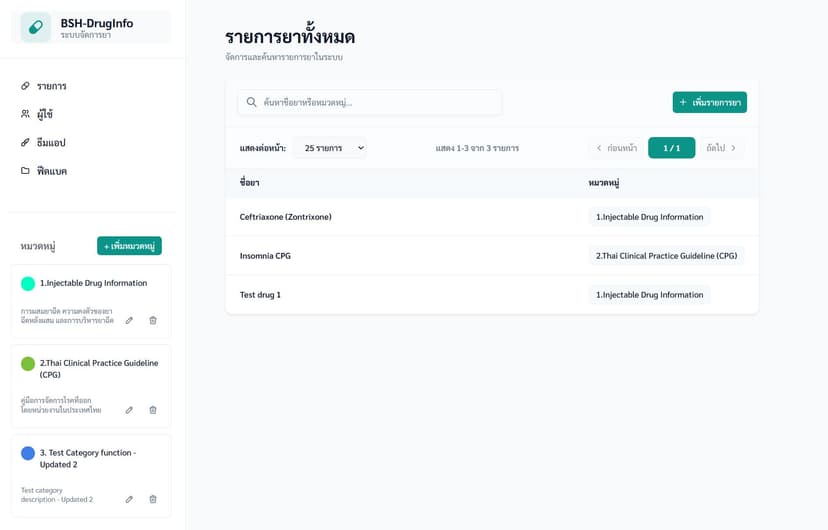
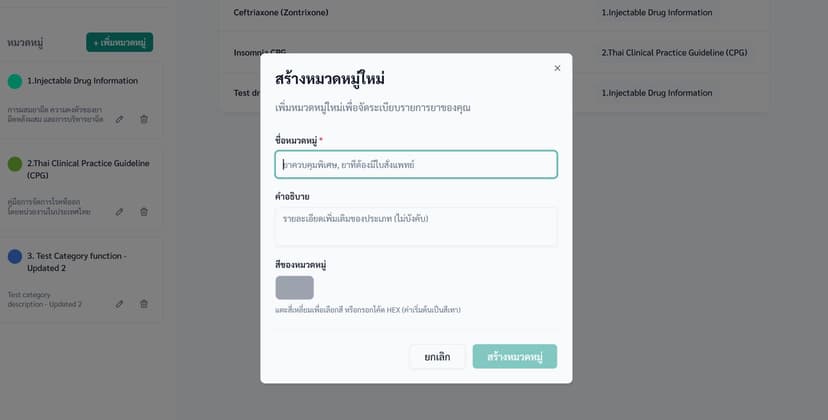
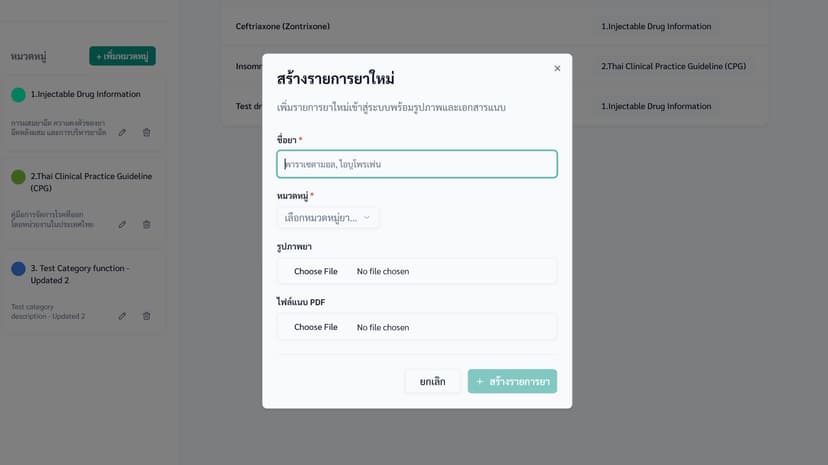
A Thai pharmacy needed an admin panel to manage the drug information that powers their companion mobile app. The main things they needed: organize drugs into color-coded categories, attach images and PDFs to each drug, add structured detail sections (like dosage, indications, side effects), and let admins control the app's theme images and app config. They also needed to manage the informed consent document that users see in the app, and view each user's profile alongside the in-app survey responses they had filled in. Exporting all of that user and survey data to Excel was part of the scope too. On top of that, they had hundreds of existing drug records sitting in Excel spreadsheets that they wanted to bulk import, and needed to export back out in the same format.
Data model & database design
The database and backend functions were handled by a senior developer on the project, and I built the frontend and the import/export features against them. It is PostgreSQL through Supabase. The core tables were categories, drugs (linked to a category), drug_attachments (covering both images and PDFs with an order_index so the main image is always first), and drug_details (key-value sections per drug with their own ordering). There is also a consents table to version the informed consent document, and a user_survey table that stored responses to a 5-category in-app questionnaire (usability, accuracy, efficiency, satisfaction, impact). A data_version table handled mobile app cache invalidation so the app knows to refresh when drug data changes. For the Excel export, a database view called export_details pre-joins all the drug data so the export API route just maps rows to columns without doing any joins in code. Files went into Supabase Storage, split into separate buckets for drug assets and theme images.
Entity relationship diagram
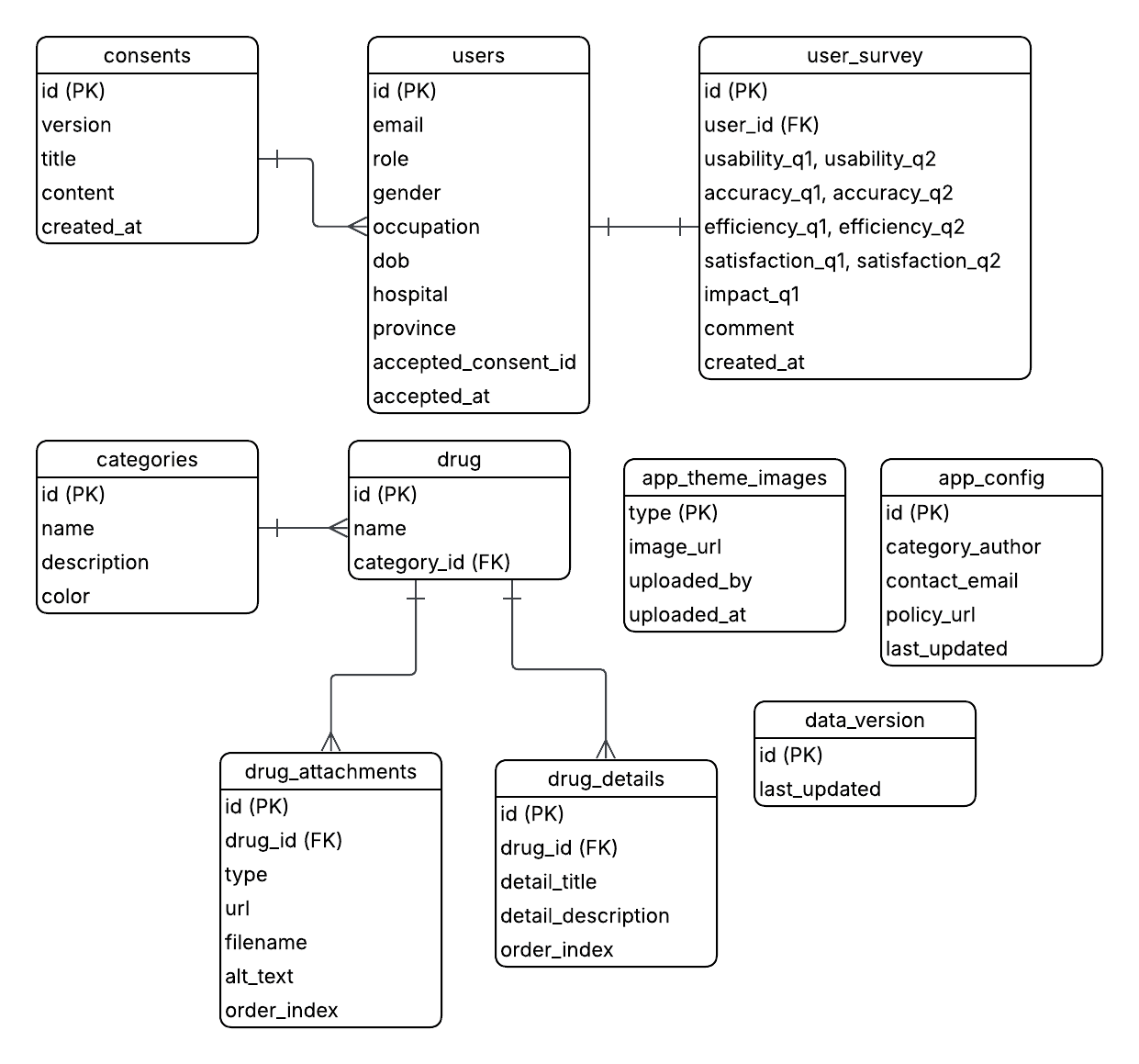
- -drug_attachments stores both images and PDFs in the same table. Both are just files attached to a drug with the same structure - url, filename, and order_index. The type column tells them apart. This avoided duplicating the same structure into two separate tables.
- -data_version exists so the mobile app knows when to refresh its local cache. Without it, the app would either re-fetch everything on every load or never pick up drug data changes made in the admin panel.
- -app_config is always a single row with id set to 'default', managed through upsert. There's only ever one set of app settings, so a multi-row table didn't make sense.
- -consents uses a unique version integer so the system can tell exactly which version of the consent document each user has accepted.
Technology stack
| Language | TypeScript |
|---|---|
| Frontend | Next.js, shadcn/ui, Tailwind CSS |
| Database | Supabase (PostgreSQL) |
| Libraries | xlsx, react-colorful |
Supabase was a good fit here - auth, storage, and database all in one place for what was essentially an internal tool. The xlsx library handled both reading uploaded Excel files and generating the export. For the category color picker I used react-colorful since it's lightweight and easy to wire into a controlled input.
Challenges & solutions
01 -Uploading large PDFs without routing through the server
Problem
Drug information PDFs can be large. Routing them through a Next.js API route to reach Supabase Storage would hold a server connection open for the duration and hit Next.js's default body size limit.
Investigation
Traced how existing image uploads worked - every byte was flowing through the API route. That was fine for small images but would fail for multi-megabyte PDFs.
Solution
Split the upload into two steps. The browser uploads directly to Supabase Storage using the client-side SDK. Once complete, a lightweight API route receives only the returned storage path and writes the URL to drug_attachments. The server never handles file bytes.
Result
PDF uploads bypass the server body size limit entirely. The server connection isn't held open during the upload.
02 -Importing Excel files with inconsistent column names
Problem
The client's drug spreadsheets were created by multiple people over several years. Column names and structure varied between files, so I couldn't rely on a fixed schema.
Solution
After parsing each file with xlsx, a normalization pass maps whatever headers exist to the expected field names using a lookup table. Rows that can't be mapped are collected into a validation report shown to the admin after import - they see exactly which rows didn't make it through and why.
Result
The import handles varied spreadsheet formats without crashing. Admins get a clear picture of what was imported and what was skipped.
03 -Preventing orphaned files when replacing theme images
Problem
When an admin replaces a theme image, the old file needed to be deleted from Supabase Storage. Just uploading the new file and updating the database row would leave old files accumulating with no reference.
Solution
The upload route fetches the current image URL first, deletes the old file from storage, uploads the new file, then upserts the database row - in that exact order. A failed upload leaves the database still pointing at the old file rather than a dead URL.
Result
Storage stays clean on every update. A failed mid-upload doesn't leave the database in an inconsistent state.
Results & impact
Delivered the full admin panel: drug categories with color labels, drug management with images and PDFs, structured detail sections, informed consent version management, user viewer with in-app survey responses and Excel export, feedback and review dashboard, theme image management, app config, and Excel import/export for drug data. The bulk import saved the client a lot of manual entry since they had hundreds of drug records sitting in spreadsheets.
Screenshots